Thursday, 16 March 2017

Brackets vs. Atom

Brackets vs. Atom

Brackets and Atom are open source code editor that developend by Adobe and Github sepriately.

In this blog, I will introduce some basic operations in these two code editor. Hopefully this blog will give you some idea about which one should you choose.


Q1: How to open a file, a folder of files?

Left: Atom vs. Right: Brackets


Q2: How to change your indent from tabs to spaces, 2-spaces, 4-spaces, etc?

Left: Atom vs. Right: Brackets

Q3: How to open the editor from the command line?

Just call: atom || brackets

Q4: How to find things?

Click on the dorp down menu: Find.

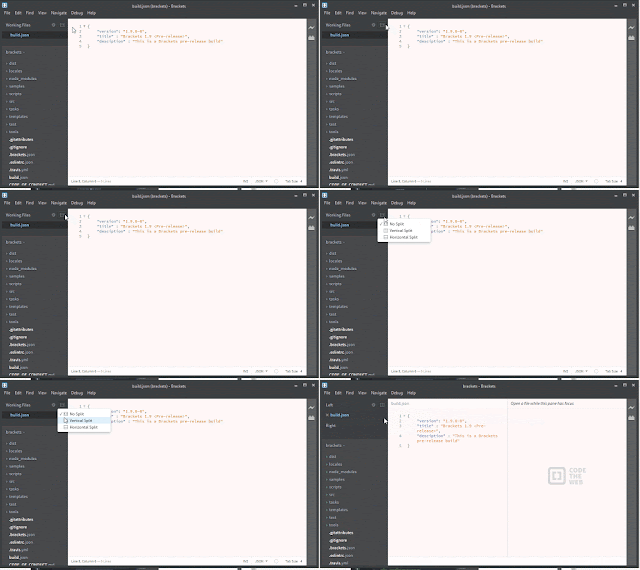
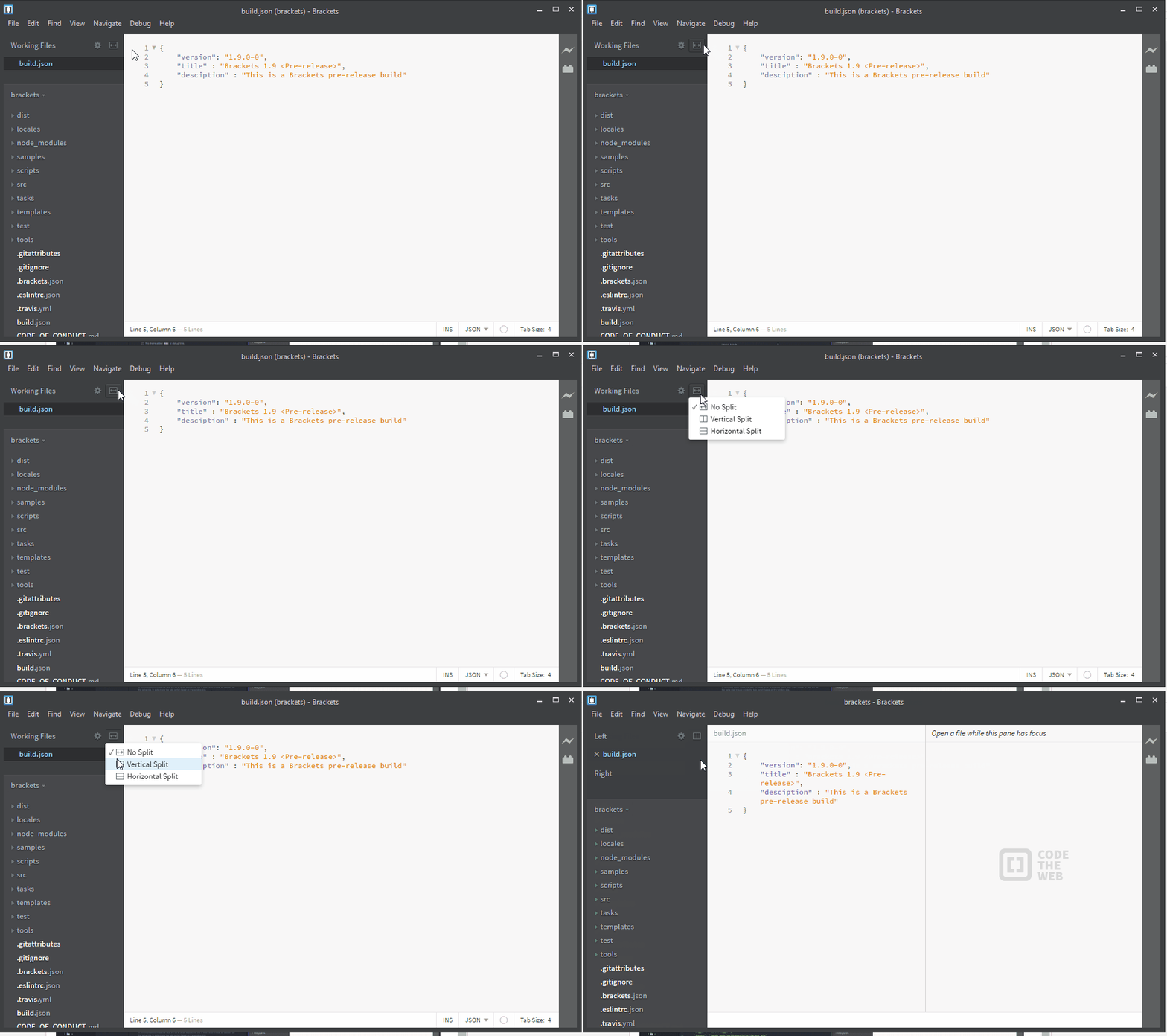
Q5: How to split the screen into multiple panes/editors/views?

Left: Atom vs. Right: Brackets


Q6: How to change keybindings?


Atom: 


Q7: What are some common key bindings?


Atom -> Find common key: Ctrl + Shift + P


Q8: How to enable/use autocomplete for coding HTML, JS, CSS, etc?


Atom: Click on Tab.

Brackets: Click on Enter.

END.

Download: Atom -> https://atom.io/ ||  Brackets -> http://brackets.io/


Add-On:

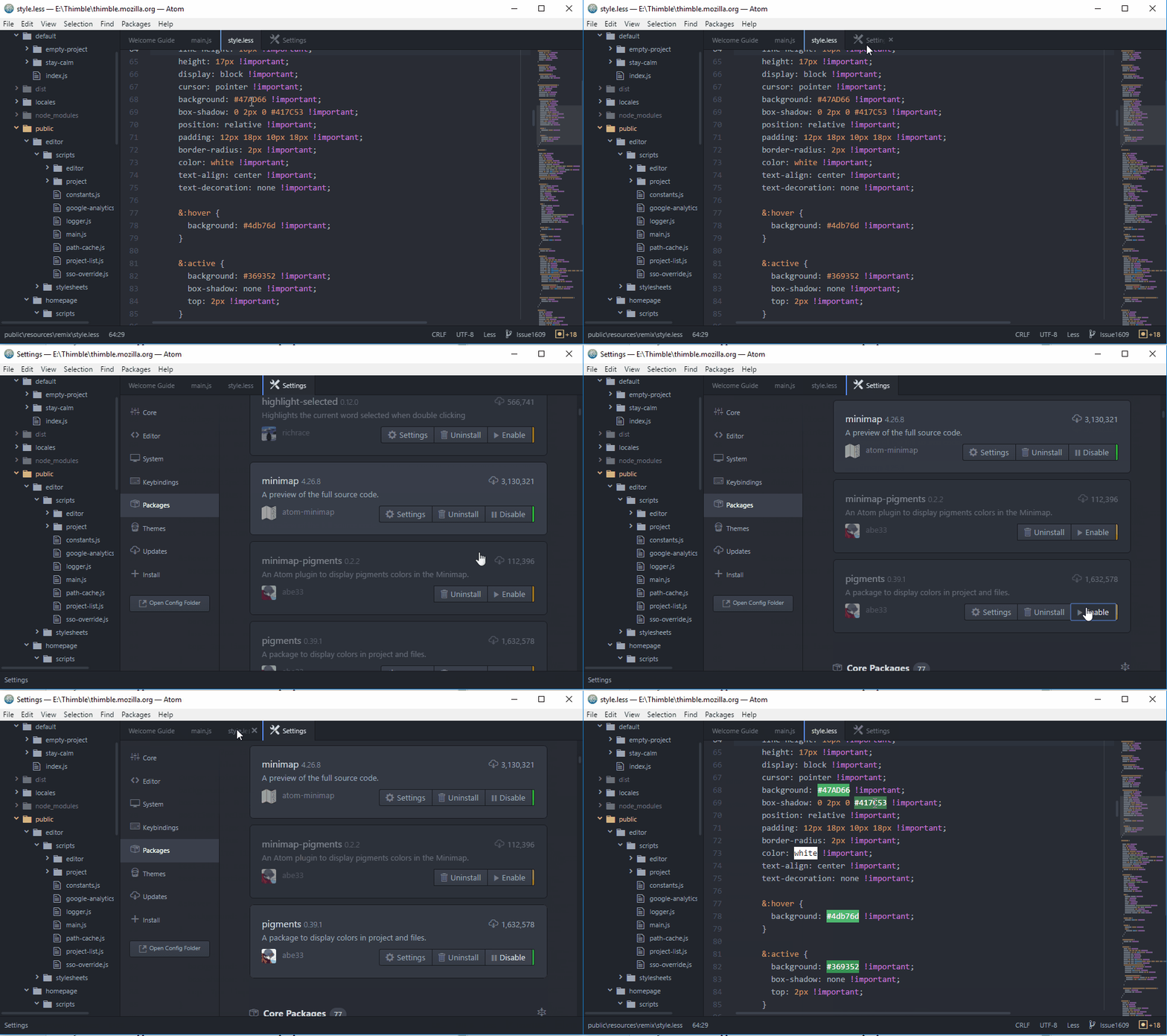
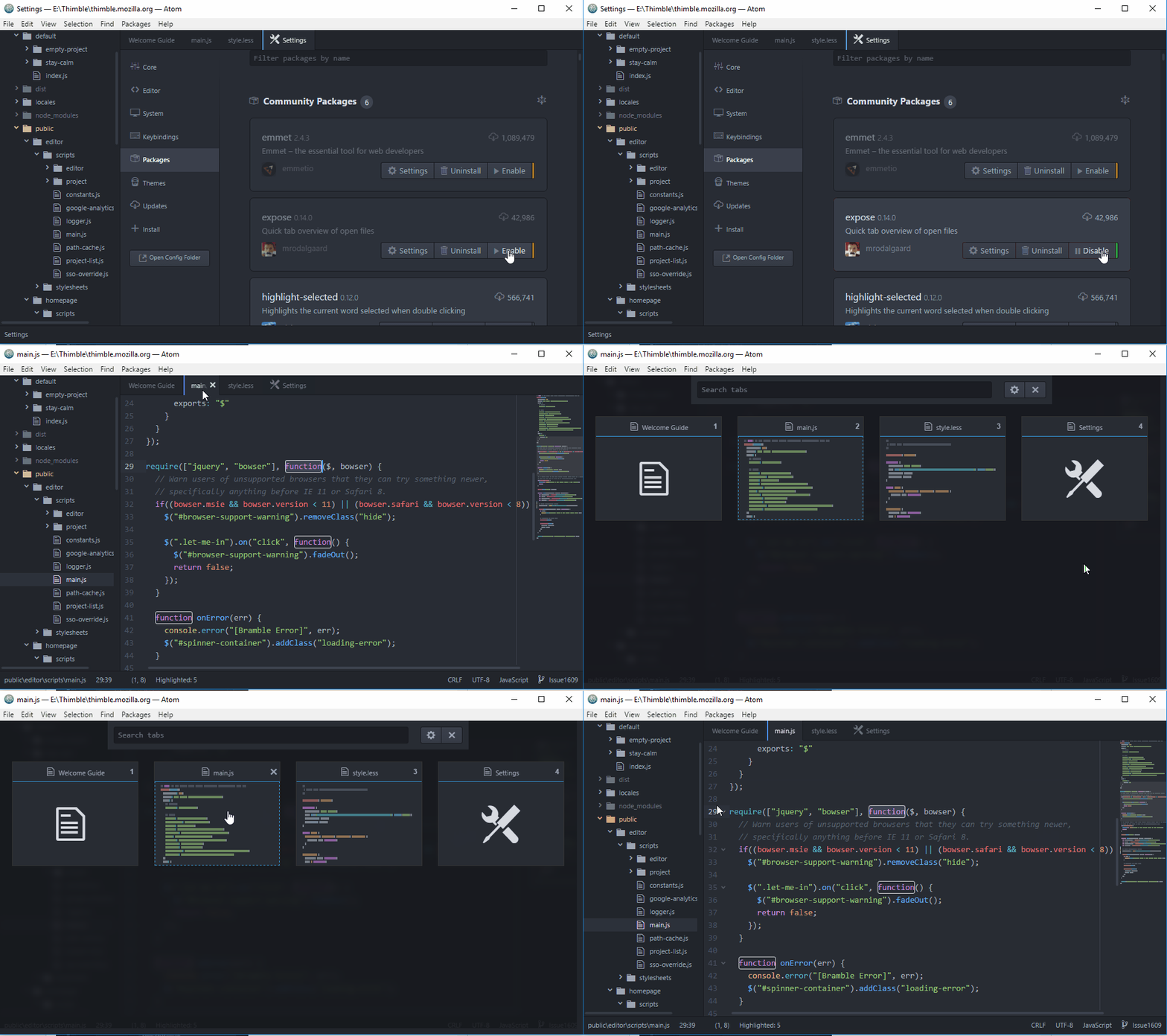
Many useful addon applications are availiable on-line for people to download. Here I will use several addons on Atom as example to show you how those addons works.

In Atom, people can simply go Setting to install addons.


More interesting Add-On: https://atom.io/packages (linter, minimap-pigments, ect.)

VirtualBox causes SYSTEM_SERVICE_EXCEPTION / Windows 10 Blue Screen of Death - Disable Hyper-v

Disable Hyper-V!!!
Disable Hyper-V!!!
Disable Hyper-V!!!

It is sooooooooooooo important, so I have to say three times.

Windows 10 automaticaly enabled hyper-v (for me, it is).
Enable Hyper-V will cause Blue Screen of Death when you shut down your virtual machine on VirtualBox.

If you have the same problem, just try is first. Disable Hyper-V is not harmful for you system, so just try it.

How to disable Hyper-v:
Go to Control Panel ->


I spend hours to find this issue. I hope this blog could help someone.

If you find any mistake I made in this blog. Please tell me in the comment. Thank you.

Tuesday, 7 March 2017

Releasse 2 - Add a Starting Kit for AFrame web VR

AFrame web VR is really attractive.

I spend several days on playing with all the API's that aframe provide me.

There are a lot of open source project that already made by other developers.

The animation they made are soooooo attractive.

For example:


And:


The 360 Image is also really good:


I learned a lot from other people's code.

Finally, I make my own Starting Kit based on their example, and I also add some advance features:


Please go and play with it: A-Frame web VR

It doesn't look that fancy, but I think it is easier for a beginner to understand.

I also saw other people made a Starting Kit for AFrame, too.


However, I'm prode to say that mind is much better the old one.

Thursday, 9 February 2017

Thimble VR: Create A-Frame Starter Kit (Issue 1609)

I was planning to fix the bug 1609 as the second part of my realease one.
Howeve, it is such a big project that need a lot of time to finish.

As a result, I will work on it as my second release.

Hopefully I could finsh the docqumenting faster...

Here is the my issue:#1609

Lab3 first issue(#1608)

This bug become the most challenge bug I have ever fixed.
I spend the first week on hosting thimble on my own laptop.
The I started working on AFrame VR on the second week.
In the beginning, I am working on two issues with AFrame VR.
I have no idea which one I can fix.

On this Tuesday, my prof suggested me to switch to another topic because I might not be able to finish this bug before Friday.
However, I am sooooo interested in VR topics so I kept working on my issues.

I finally fixed one of my issues tonight, so I am writing my blog here.
Issue 1608:
Here is the detail of my issue: #1608.

The problem I have and how I fix it:
The first problem I have to solve is how to reproduce the bug on my device.
I published a sample VR website on thimble, and I successfully reproduced the bug on my phone and Lenovo pad.
However, I cannot debug on my phone or pad.
When I comes to my laptop, the remix button just jump to the top of the webpage, so there is no bug anymore.
I use the Chrome web debugger to find out which div I want to find.
I find the right div and the right css class.
There is a certain class called touch-mode that determine where the remix button is.
I spend 6 hours on try to reinstall thimble on my pad but I failed.
I finally find out that Chrome debugger could change the css directly.
I tested my change on the chrome and push the new branch on to github.

Here is my pull request:#1724

Thursday, 26 January 2017

Release 2 - Need more work

I was planning to fix the bug 1609 as the second part of my realease one. Howeve, it is such a big project that need a lot of time to finish.

As a result, I will work on it as my second release.

Hopefully I could finsh the docqumenting faster...

Lab2 - My First Pull Request

This is my first pull request: base64-js

I changed a little spelling mistake in its package.json, and I also put more keywords in there.

I feel really good about what I did. This is the first time I work with other people's project on github.

Will he accept the changes? I don't know. Hopefully he will.

No matter he will accept my pull or not, I am going to keep working on Open Source from now on.